2.14. AI Center
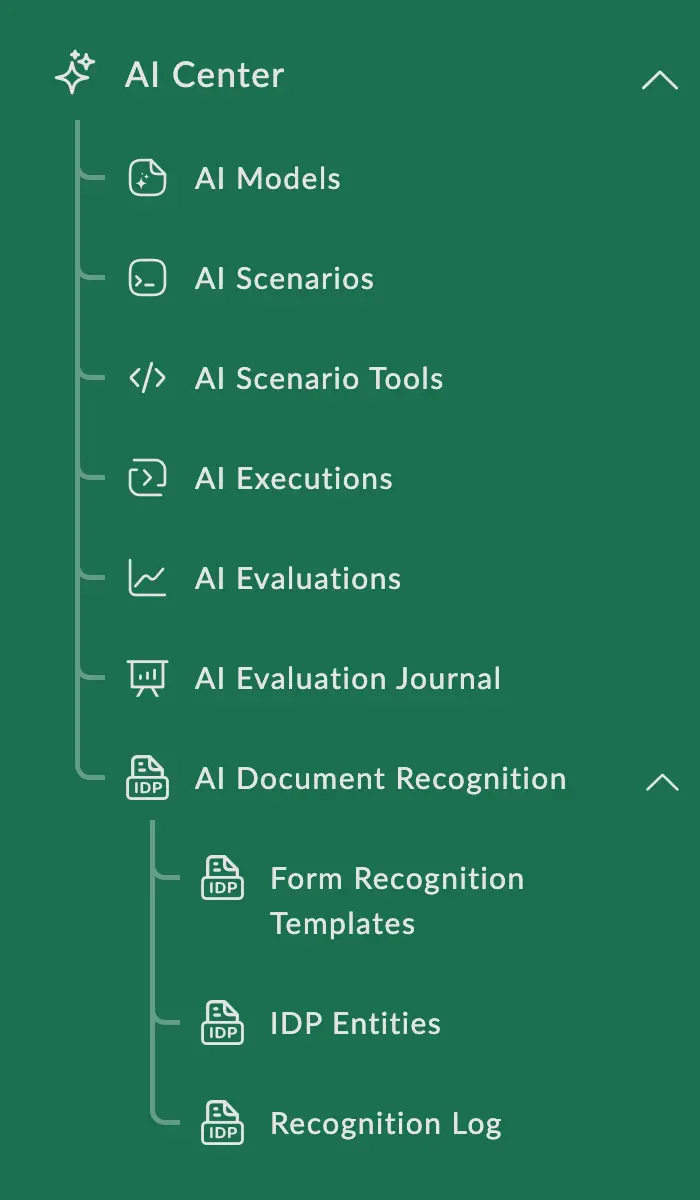
The AI Center shortcut group consists of the following shortcuts:
-
AI Models — use this shortcut to configure the integration of the Nectainium platform with artificial intelligence models. Models allow you to configure various actions, such as document recognition or summarization using AI.
-
AI Scenarios — use this shortcut to define what you want to accomplish using artificial intelligence.
-
AI Scenario Tools — these are specialized components that can be used within AI scenarios to enrich the context available to the AI model when processing documents.
-
AI Executions — a shortcut that displays the status of all AI scenario invocations.
-
Document Recognition — a shortcut group containing shortcuts for document recognition using IDP and AI.
See more details in the following subsections:
.14.1. AI Recognition
The AI recognition feature allows you to automatically analyze the content of documents or images. The AI processes the document text, identifies key data, and maps it to the defined attributes of the system.
.14.2. IDP Recognition
The IDP Recognition feature is only available with the installation of the additional package dfx-idp.
.14.3. AI Scenarios and Their Tools
2.14.3.1. AI Scenario Tools
.14.4. AI Evaluation
AI Evaluation is a tool for verifying the quality and stability of AI scenario execution. It allows you to compare the actual scenario execution result with the expected result based on predefined datasets and criteria.
.14.5. Document AI Actions
You can configure action buttons that will be displayed in the document toolbar. Using these buttons, you can run an AI scenario and perform certain actions directly from the document form.
.14.6. AI Summarization
The AI Summarization feature allows you to automatically create concise and clear summaries of large documents, saving time on reading and analyzing voluminous information.