1.2. Change Language
The Nectainium platform supports multiple languages. The list of available languages depends on your system configuration.
To change the language, follow these steps:
-
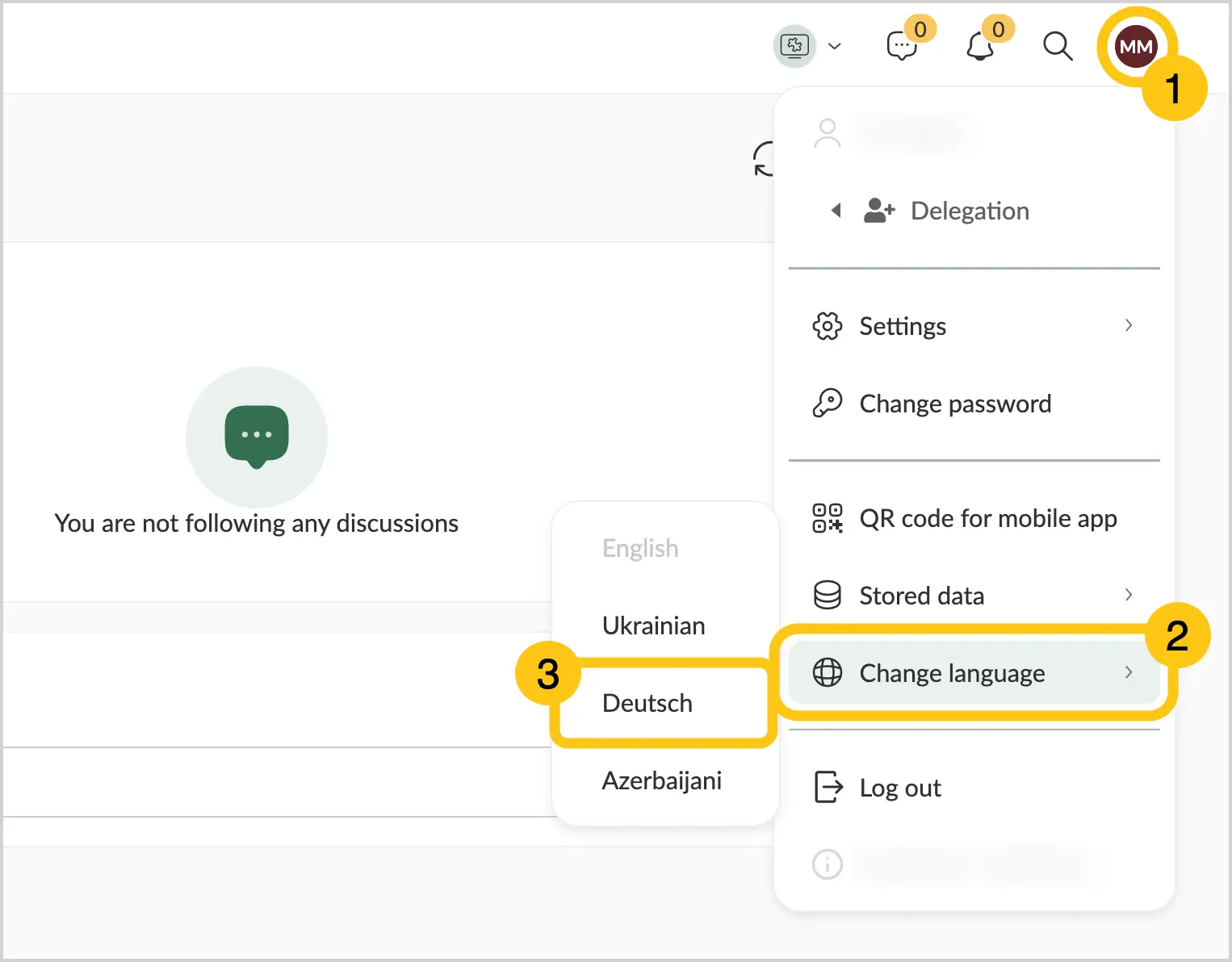
Sign in to Nectainium, then in the upper-right corner, select the user icon 1.
-
Select Change language 2, then choose the desired language 3.
-
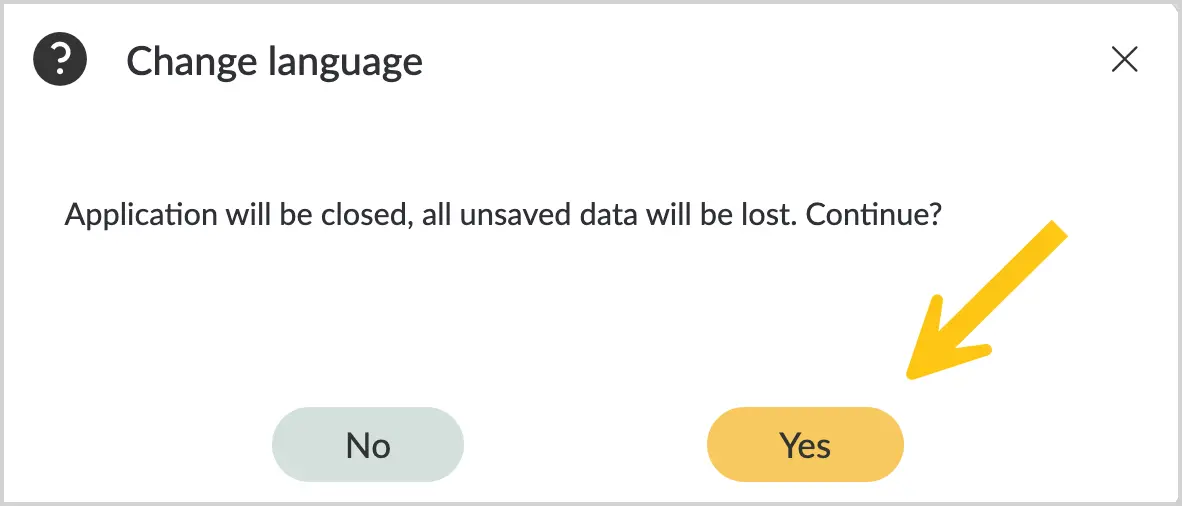
Select Yes to confirm the change.
Note:
After selecting a different platform language, you will need to sign in again.